Sign in to the browser extension
Last updated
You can capture without an account. To copy a capture onto your Figma canvas, send it to the Figma plugin or download a Figma Make file, sign in, because these convert the page on html.to.design’s servers and count as imports.
How to sign in
- Click the html.to.design icon in your browser toolbar.
- Click Sign in in the top-right corner of the popup.
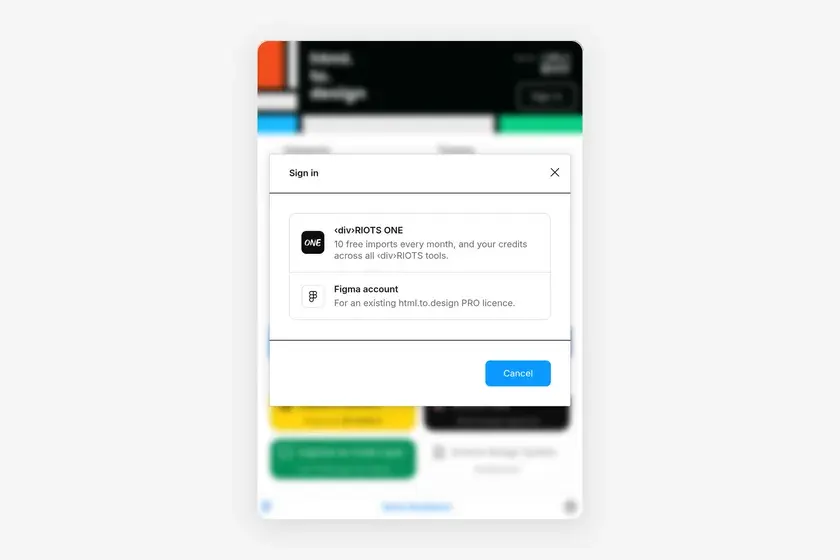
- Choose an account:
- ‹div›RIOTS ONE: 10 free imports every month, and your credits across all ‹div›RIOTS tools.
- Figma account: for an existing html.to.design PRO licence.
- Complete the sign-in in the window that opens.
Once you’re signed in, the popup’s header shows your plan, or Upgrade to PRO. Click it to see the account, its membership and Sign out.
What needs an account
| Action | Without an account | Signed in |
|---|---|---|
| Download .h2d file | ✅ | ✅ |
| Copy to clipboard | — | ✅ (one import) |
| Send to Figma plugin | — | ✅ (one import when imported) |
| Download Figma Make file | — | ✅ (one import) |
| Right-click Copy Rich Text for Figma | — | ✅ (one import) |
| Convert a PDF | — | ‹div›RIOTS ONE credits |
When you run out, the extension says No remaining imports: upgrade your plan to keep importing.
Frequently asked questions
Which account should I sign in with?
Choose ‹div›RIOTS ONE for 10 free imports every month and credits shared across all ‹div›RIOTS tools. Choose Figma account if you already pay for an html.to.design PRO licence through Figma.
What can I do without signing in?
Capture a full page, a selection or a flow and download it as an .h2d file.
Why don't my captures reach the Figma plugin?
The extension and the plugin must be signed in with the same account. Check the email in the extension's help menu and in the plugin.