Faster import flow and dynamic font changes
We’re excited to share an upgrade to the html.to.design experience that makes converting HTML to Figma faster and more flexible than ever before.
New one-step import process
Gone are the days of the two-step conversion flow. With our new streamlined import process, you can now convert your webpages to Figma designs in one shot. Simply enter your URL, code or file, and your designs appear in Figma—without intermediate steps and time-consuming setup.
Dynamic font changes
This new import flow comes with another powerful feature: the ability to change fonts dynamically after import. Previously, font choices had to be made before the conversion process, meaning changes couldn’t be visualized. Now, you can experiment with different typography after your designs are already in Figma.
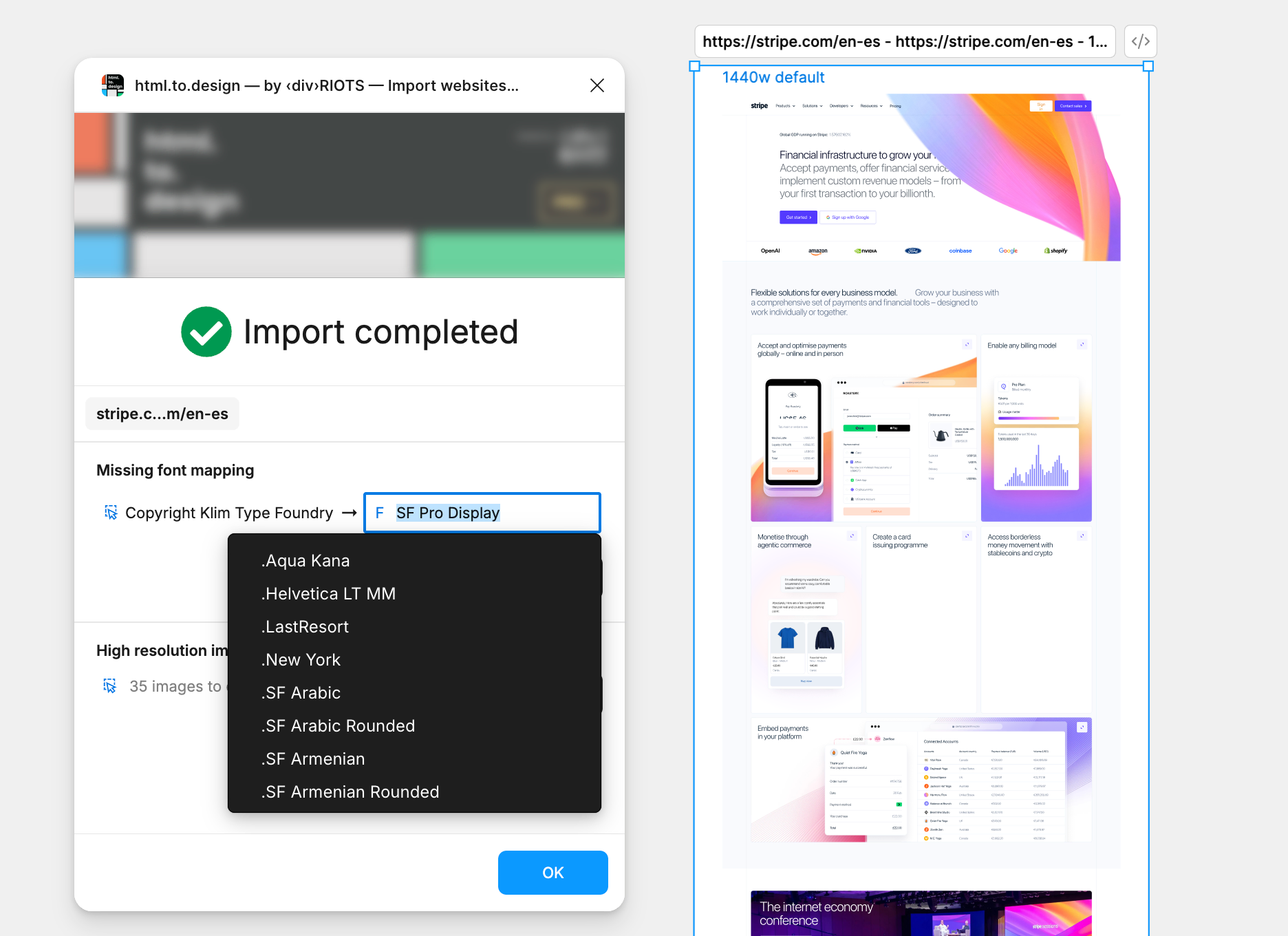
Here’s what makes this game-changing:
- Instant updates: Change a font family and watch all your imported elements update in real-time.
- Design exploration: Try different typefaces to see what works best for your project.
- No re-importing: Make typography changes without starting the import process over again.
Try it out!
Whether you’re redesigning an existing site, creating a design system from production code, or just exploring how a website is built, this updates makes the import process even more direct.
The new faster import flow is now live at html.to.design and ready to try.
Have feedback or questions about the new features? We’d love to hear from you!